PageMo - Sticky notes & Memo in any page
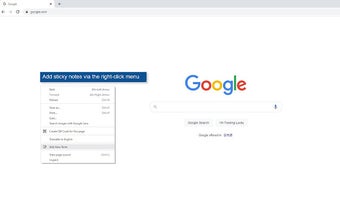
PageMo is a free Chrome add-on developed by innomi that allows users to add sticky notes to any web page. With this extension, you can easily add and customize sticky notes, and move them to any position on the page. Even if you refresh the web page, the added memos will still be displayed.
The sticky notes editor provides various functions for customization, such as bold, italic, underline, strikethrough, and font size settings. You can also choose marker color, text color, and background color for your sticky notes. The editor allows you to delete memos and close it once you have completed editing a sticky note.
The sticky notes themselves can be easily moved by dragging and dropping them. If you hover your mouse over the lower right corner of a memo, you can adjust its size using the size adjustment icon.
In addition, PageMo provides a sticky notes list display page. By pressing the "Show Notes List" menu in the extension, you can access a page that lists all the added memos. This list includes the added sticky notes and the target sites they are associated with. From this list, you can delete sticky notes using the trash can icon, and even delete sticky notes for specific sites. You can also access the target site of each sticky note directly from the list.